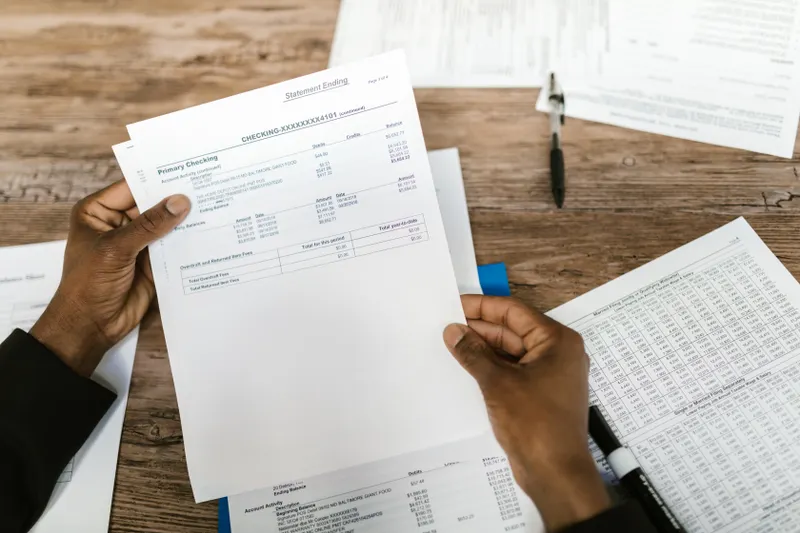
Your bank feed shows a deposit of $14,212. Your accounting system shows $14,000 for that same customer payment. Nobody on the team can explain the $212 gap right away, and this is the third mismatch like it this month. That gap is small, aggravating, and completely normal. Automated payment reconciliation exists to catch it before it turns into a bigger problem than a rounding error.
I want to walk through what this software actually automates, what manual matching is really costing you, and the point where you genuinely don't need any of it yet.
What Automated Payment Reconciliation Actually Does
Automated payment reconciliation software connects to your bank feed, your payment processor, and your accounting system, then matches each incoming or outgoing payment against the invoice, bill, or ledger entry it belongs to, on a schedule you set rather than whenever someone finally has an afternoon free.
The matching logic runs on rules configured once: amount, date range, reference number, customer ID. Transactions that match close automatically. Everything else (a partial payment, a fee the processor took out before depositing, a duplicate charge) gets flagged for a human to look at.
That's the real distinction between this and financial reconciliation as a broader category. Bank reconciliation checks your whole cash position against the bank statement. Automated credit card reconciliation and transaction reconciliation work one level lower, at the individual payment: did this specific charge from this specific customer land for the amount it was supposed to. That distinction matters because most of the discrepancies that eat a bookkeeper's week aren't big structural problems. They're $8 processing fees and split shipments recorded as two payments instead of one.
What Manual Reconciliation Really Costs You
Small business owners spend 6 to 8 hours a week on admin and reporting tasks, according to the SCORE SMB Survey 2024 — and payment matching is one of the most repetitive pieces of that pile. Adyen's research on payment operations puts a sharper number on the specific problem: 36% of companies lose at least one full workday every week to payment operations, reconciliation included.
I'll push back a little on the instinct to buy software the moment that number looks bad, though. Don't automate a broken process. If your chart of accounts is inconsistent, or if two people record the same transaction two different ways, automating reconciliation on top of that mess doesn't fix anything. It just automates the mess and makes it harder to notice. The first step is visibility: see what's actually happening in your matching process right now. Then fix what's broken. Then automate what's left.
Software can't reconcile a process that was never actually defined.
The Benefits That Actually Move the Needle
The real benefits are specific enough to name plainly.
- Time back, first and foremost. Hours that used to go into matching a bank statement line by line go somewhere else, usually AR follow-up or actual analysis instead of data entry.
- Fewer duplicate payments slipping through unnoticed until someone stumbles across them at quarter-end
- Faster fraud detection. A charge that doesn't match anything in your system gets flagged the same day, not three weeks later during month-end close.
- A process that doesn't live entirely in one person's head. If your bookkeeper takes a two-week vacation, reconciliation doesn't stop with her.
- Cleaner accounts receivable payment processing specifically, since matching incoming customer payments against open invoices faster means your AR aging report reflects reality instead of a two-week lag.
Businesses with real AR visibility collect receivables 8 days faster on average, which on $500,000 in annual revenue works out to roughly $11,000 in improved working capital. Reconciliation is a meaningful part of what makes that visibility real instead of aspirational.
How Reconciliation Errors Quietly Wreck Your Cash Flow Forecast
Reconciliation errors rarely announce themselves. They're small, they're individually defensible, and they compound in the same direction month after month until the forecast built on top of them is quietly wrong.
Run the arithmetic yourself. Say a business takes 300 card payments a month at an average ticket of $400, and the processor deducts its fee before the deposit lands. If those deposits get recorded at gross instead of net, the books show more collected cash than actually hit the account. At a 2.9% processing fee, that's roughly $3,480 a month sitting in the ledger and nowhere else. Nothing about that looks like an error on any single transaction. It looks like $11.60 here and $11.60 there.
Now build a 13-week cash flow forecast on that ledger. The starting balance is overstated, the collection pattern is overstated, and every projection downstream inherits both. The forecast isn't wrong because the model is bad. It's wrong because the inputs were never verified against what the bank actually received.
That's the part worth sitting with. Unreconciled payment data doesn't produce an obviously broken forecast. It produces a confident one with the wrong numbers in it.
Payment reconciliation is the fix for exactly that: matching what actually happened against what your books say happened, on a schedule, instead of finding out at close. A forecast built on unreconciled payment data isn't really a forecast. It's a guess with a spreadsheet attached to it.
Choosing the Right Reconciliation Tool for Your Business
Reconciliation automation isn't one-size-fits-all, and the wrong tool wastes as much time as no tool at all. Before comparing vendors, answer three questions honestly.
- How many transactions are you actually matching each month? A business processing 50 payments a month doesn't need the same tool as one processing 5,000. Volume drives both cost and complexity more than anything else on a feature list.
- Does it connect directly to what you already use, your bank, your processor, your accounting software? Or does it require a manual export every time? A tool that needs a CSV upload every week isn't automation. It's a smaller manual task wearing an automation label.
- What happens when something doesn't match? The matching itself is the easy 80%. The exceptions are where the real time savings show up, or quietly disappear, depending on whether the tool makes resolving them fast.
Larger, multi-entity businesses sometimes need more than reconciliation alone; that's a different conversation, closer to what an enterprise reconciliation module is actually built for. Most small businesses don't need that much tool. I encourage you to run the actual numbers before signing anything. If a platform won't publish its pricing, that's because the pricing is a negotiation, not a product. Cash Flow Optimizer's financial reporting module ties directly to your reconciled account data instead of a static spreadsheet snapshot, and the pricing is published outright: Starter at $99/month for solopreneurs, Growth at $299/month for teams up to five, and Scale at $39/month per additional user past that.
Reconciliation is easier to fix when it's connected to the rest of your financial picture, not bolted on as a separate tool.
Talk to a fractional CFO about what actually fits →You and I both know a vendor demo will make every tool look like the obvious answer. The three questions above are what separate the ones that actually fit your transaction volume from the ones that just have the best sales deck.
When Manual Reconciliation Still Makes Sense
My friend, not every business needs reconciliation software yet, and I'll say so plainly even though I make my living helping businesses fix exactly this kind of problem.
If you're a solopreneur doing under $300,000 in annual revenue with a low volume of transactions, a monthly manual reconciliation in a spreadsheet is still perfectly reasonable. The software earns its cost once there are enough transactions, enough people touching the books, or enough entities involved that a human doing it by hand starts missing things. Not before.
A few signals it's time to stop doing this manually:
- You're spending more than 2 to 3 hours a month on matching alone, not analysis
- More than one person touches the books, and nobody's entirely sure who checked what last
- A mismatch has sat unnoticed for longer than a single billing cycle
Short of that, keep your spreadsheet. It's not broken.
Automated payment reconciliation isn't glamorous work, and it will never be the part of the business anyone brags about at a networking event. But it's one of the highest-leverage pieces of financial infrastructure a growing business can put in place, because it turns "we think the numbers are right" into "we know the numbers are right" — every single month, without anyone burning a Friday afternoon to prove it.
Frequently Asked Questions
What is automated payment reconciliation?
Software that automatically matches incoming and outgoing payments against your bank feed, payment processor, and general ledger, flagging anything that doesn't line up for a human to review.
How is payment reconciliation different from bank reconciliation?
Bank reconciliation checks your overall cash position against the bank statement, account by account. Payment reconciliation works at the transaction level, matching each individual payment to the invoice, bill, or ledger entry it belongs to. Most businesses eventually need both, but payment reconciliation is where the day-to-day discrepancies — processing fees, partial payments, duplicate charges — actually get caught.
How much does automated reconciliation software cost?
It varies by transaction volume and how many systems you're connecting, typically from well under $100/month for a small business to several hundred for higher-volume operations. Cash Flow Optimizer's Growth plan, whose financial reporting module ties directly to reconciled account data, runs $299/month for teams up to five.
Can automated reconciliation replace a bookkeeper?
No. It removes the repetitive matching work, not the judgment calls — someone still has to decide what a flagged discrepancy actually means and record it correctly.
How long does it take to see time savings?
Most businesses notice the difference within the first full reconciliation cycle, once matching rules are configured correctly. The first month is usually the slowest, since someone has to set the rules up properly; every month after that is mostly just reviewing exceptions.
What transactions typically don't match automatically?
Partial payments, processing fees deducted before a deposit lands, duplicate charges, and payments applied to the wrong invoice are the most common exceptions. These are exactly the transactions that used to eat the most manual review time, which is why flagging them automatically matters more than the clean matches ever did.
Does automated reconciliation help with fraud detection?
Yes. A charge or payment that doesn't match anything in your system gets flagged the same day instead of surfacing weeks later during month-end close.
Do I need automated reconciliation if I only have a handful of transactions a month?
Probably not yet. A solopreneur under $300,000 in annual revenue with low transaction volume can usually reconcile manually in a spreadsheet without losing meaningful time. Revisit the question once volume, or the number of people touching the books, starts to grow.
Have more questions? Browse our complete FAQ hub →