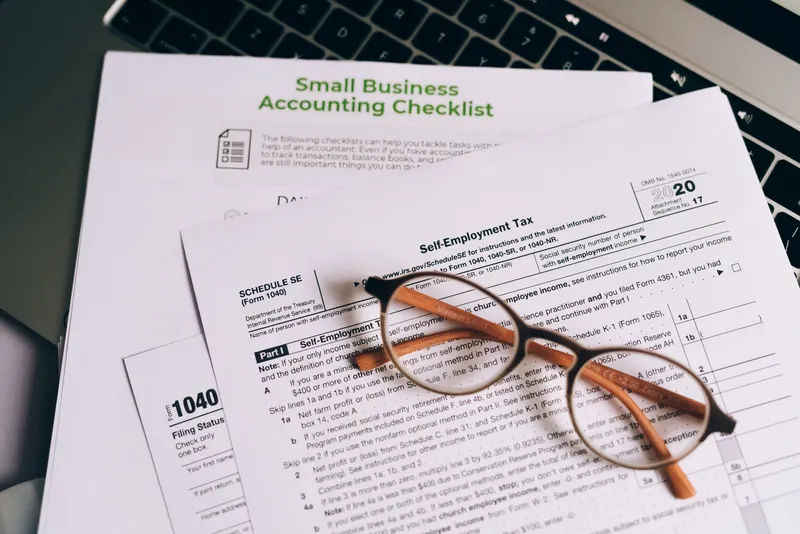
I built my first bookkeeping system in Google Sheets, long before it ever became software. So when I open a small business bookkeeping template today, I'm not grading the colors or the formulas. I'm checking whether it will still be in use by week seven, because that's usually when the wheels come off.
That's not a discipline problem. It's a design problem. Most templates people download off the internet are built to look complete on the day you open them, not to survive contact with an actual business. The categories don't match how the money actually moves, the owner falls two months behind, and the file gets renamed something like BOOKS_2026_ACTUAL.xlsx and quietly forgotten.
In my experience, the templates that last are the ones built right the first time. Not the ones with the most polished-looking tabs.
What a Small Business Bookkeeping Template Actually Needs to Track
Income by source. Expenses by category. Who owes you, and who you owe. Track those accurately and you already know more about your business than most owners do checking their bank balance every Monday morning and hoping for the best.
At minimum, your template needs to capture:
- Income by source — the specific service, product line, or client, not just a lump "Revenue" line
- Expenses by category: rent, payroll, materials, software, marketing, matched to how you'll eventually file taxes
- Accounts receivable. Who owes you, how much, and how long it's been outstanding.
- Accounts payable: what you owe and when it's due
- Bank and credit card reconciliation, a monthly check that your books match what the bank actually shows
- Owner draws or contributions. Critical if you're a sole proprietor or single-member LLC, and the single most commonly forgotten category.
- Sales tax collected, if you sell anything taxable
And so much more, depending on your business. A service company needs a project or job column. A product business needs inventory. A business with a handful of employees needs a payroll line even before formal payroll software enters the picture. The point is building the right categories for your business, not copying someone else's spreadsheet.
The Categories Every Bookkeeping Template Should Include
A consultant billing hourly and a landscaping company buying fuel and equipment need genuinely different category lists. Hand them both the same download from a Google search, though, and that's exactly what happens.
Start with a chart of accounts, the master list of every category your money can be sorted into (i.e. the categories you'll use consistently across every tab of your template). Keep it as short as you can defend. I've seen category lists with 40+ line items that nobody, including the owner, could explain six months later.
A workable small business bookkeeping template usually needs somewhere between 12 and 25 categories total. Too few and you lose useful detail. Too many and nobody keeps it updated. There's no prize for either extreme.
Group your expense categories the same way the IRS groups them on Schedule C or your business tax return, even if you're not filing a Schedule C yourself. It saves your accountant, or you at 11pm in March, from re-sorting a year of transactions by hand.
Setting Up Your Bookkeeping Template in Under an Hour
Order matters more here than it looks like it should. Skip a step and you'll be redoing work later.
- Pick your format first: Google Sheets, Excel, or paper. Covered in the next section, but don't skip this decision. Switching formats six months in means re-entering everything.
- Build your category list before you enter a single transaction. Decide your income sources and expense categories up front. Changing them later means reclassifying every prior entry.
- Create one tab for each function: Income, Expenses, Accounts Receivable, Accounts Payable, and a Summary tab that pulls totals from the other four.
- Enter your starting bank balance as day zero. Every reconciliation after this depends on that number being right.
- Set one fixed day each week to enter transactions. Not "when I get to it." A specific day, on the calendar, treated the same as payroll.
Google Sheets, Excel, or Paper: Picking Your Bookkeeping Template Format
The right format depends on who else needs to see the numbers, not on which app looks the most professional.
| Format | Best for | Watch out for |
|---|---|---|
| Google Sheets | Businesses with a bookkeeper, partner, or accountant who needs live access | Requires internet access; version history can get messy with multiple editors |
| Excel / bookkeeping template excel | Businesses that want offline access and heavier formula work (pivot tables, macros) | No live collaboration unless you're on a shared drive; easy to end up with five "final" versions |
| Paper | Very early-stage or cash-heavy businesses (some contractors, market vendors) | No formulas, no backup if it's lost, and someone still has to transcribe it eventually |
Most small businesses default to a bookkeeping template google sheets setup today. It's free, it's on your phone, and you can share it with an accountant without emailing a file back and forth. Excel wins if you're comfortable with heavier formulas and don't need real-time collaboration. Paper only works as a temporary bridge, not a system.
The Mistakes That Turn a Simple Template Into a Mess
I've looked at more small business bookkeeping templates than I can count, and the same handful of mistakes show up again and again.
- Mixing personal and business spending in the same account. The single most common issue, and it turns a simple monthly reconciliation into a forensic investigation.
- A category called "Miscellaneous" that quietly absorbs 30% of all transactions. If you don't know where something goes, your category list is wrong, not your discipline.
- Not reconciling monthly. A template that isn't checked against the actual bank statement is a diary, not a set of books.
- Forgetting owner draws entirely. Money you pulled out for yourself still has to go somewhere.
- Changing categories mid-year without updating prior entries. Six months of "Software" and six months of "Tools & Subscriptions" for the identical expense makes year-end review nearly impossible.
Which of these is true for your file right now?
When a Spreadsheet Template Stops Being Enough
Your first employee. A second revenue stream. An invoice sitting unpaid for 90 days. Any one of these is usually the moment a spreadsheet template stops being enough, whether you notice it right away or not.
A spreadsheet template is a genuinely good tool for a real stretch of a business's life. It just isn't built to last forever, and pretending otherwise is where most owners get into trouble.
Cash flow forecasting in a spreadsheet is better than no forecasting at all. It's also worse than a system connected to your actual receivables, payroll data, and project pipeline. The spreadsheet tells you what you think will happen. A connected system tells you what's actually happening. That difference is where the real cost hides.
I've watched this gap widen the moment a business adds its first employee, its first recurring vendor contract, or its first invoice that goes unpaid for more than 60 days. A template with no automatic aging on receivables means you find out an invoice is 90 days overdue only because you happened to scroll to that row. According to Cash Flow Optimizer's own platform data, businesses with real accounts receivable visibility collect 8 days faster on average — and on even a modest revenue base, eight faster collection days is real working capital sitting in your account instead of someone else's. If that gap between "profitable on the spreadsheet" and "actually liquid" sounds familiar, it's worth reading how reconciliation errors quietly distort a cash flow picture long before anyone notices.
If you're already juggling a bookkeeping template, a separate invoicing tool, and a spreadsheet just for cash flow, that's usually the sign the DIY stretch is ending.
Talk to a fractional CFO about what's next →When you don't need to upgrade yet: if you're pre-revenue, or your business has no real operational complexity (one revenue stream, no employees, low transaction volume), a spreadsheet template will do for now. My friend, there's no prize for buying software before your business needs it. Keep the template clean, keep reconciling monthly, and revisit the question once you're managing payroll, multiple revenue streams, or receivables that take real effort to track by hand.
That's the whole test.
Free Bookkeeping Template vs. Paid: What You're Actually Trading Off
A free bookkeeping template costs nothing to download and everything to maintain once your transaction volume grows. It tracks income, expenses, and balances just fine. What it doesn't do is scale, automate reconciliation, or catch an error before six months of miscategorized transactions pile up.
| Free template | Paid tool or bookkeeper | |
|---|---|---|
| Setup cost | $0 | Software subscription or hourly bookkeeping fee |
| Time investment | Higher: manual entry, manual reconciliation | Lower: automated bank feeds, built-in checks |
| Error catching | None; you find mistakes after they've already compounded | Built-in flags, reconciliation alerts |
| Scales with growth | No; breaks down past a handful of categories and one revenue stream | Yes |
| Best for | Pre-revenue, single revenue stream, low transaction volume | Multiple revenue streams, employees, real AR/AP volume |
Ask yourself a different question than "free vs. paid." Ask whether the hours you're spending maintaining a free template by hand are actually free. Once the business has any real transaction volume, they rarely are, a fact the U.S. Small Business Administration's own financial management guidance effectively concedes when it recommends moving to dedicated bookkeeping software as transaction complexity grows.
At that point, you generally have two paths. Keep the work in-house with an AI-assisted bookkeeping tool, or hand the whole function to someone else with outsourced bookkeeping. Neither is automatically right; it depends on how hands-on you want to stay with the numbers versus how much time you'd rather buy back.
Frequently Asked Questions
What should be included in a small business bookkeeping template?
Income by source, expenses by category, accounts receivable, accounts payable, monthly bank reconciliation, and owner draws. Most businesses need somewhere between 12 and 25 categories total: enough detail to be useful, not so much that nobody keeps it updated.
Is Google Sheets or Excel better for a bookkeeping template?
Google Sheets, for most small businesses. It's free, works from your phone, and makes sharing with a bookkeeper or accountant painless.
How often should I update my bookkeeping template?
Weekly for data entry, monthly for reconciliation. Set a fixed day for each. Waiting longer than a month between reconciliations is how small errors compound into a genuinely confusing set of books.
Can I use a free bookkeeping template instead of accounting software?
Yes, if your business is pre-revenue, has one revenue stream, no employees, and low transaction volume. Past that point, the manual hours usually cost more than software would.
What's the difference between bookkeeping and accounting?
Bookkeeping is the day-to-day recording of transactions, the part a template handles. Accounting is the layer above it: preparing financial statements, filing taxes, and advising on strategy based on what the books show. A good bookkeeping template is simply the raw material an accountant needs to do that second job accurately. Skip the first job and the second one gets expensive fast.
When should a small business move from a spreadsheet to accounting software?
The common trigger points are hiring your first employee, adding a second revenue stream, or reaching the point where receivables need active follow-up instead of occasional review.
Do I need separate templates for cash flow and for income and expenses?
Not separate files. Separate tabs off the same data works fine. Income and expenses tell you what happened; cash flow tells you what's coming, which is the piece most DIY templates skip.
How do I know if my bookkeeping template is set up correctly?
Open the file right now and try to answer one question in under 60 seconds: how much cash do you have, and who owes you money? If you can, it's working. If you have to dig, cross-reference a bank app, or guess, fix the categories or the reconciliation habit before you trust the data at all.
What's a good starting chart of accounts for a small business?
Group expenses the way the IRS groups them on Schedule C: advertising, contract labor, insurance, rent, supplies, utilities, and so on. Even if you don't file a Schedule C yourself, it keeps the categories tax-ready and makes year-end review dramatically faster.
Have more questions? Browse our complete FAQ hub →